Welcome to this interactive hacker simulator. Click the icons on the right to open the programs or press the numbers on your keyboard. Drag the windows with your mouse to organize them on your desktop.
How to avoid getting hacked?
There are some simple things you can do to keep from getting hacked. You don’t need to be a computer expert to take some of these simple steps that could save you time, frustration, and maybe even money.
Keep Everything Up to Date
Maybe you ignore those popups on your computer or phone telling you there is a new update available. Keep in mind that those updates are often security enhancements. When software developers learn that hackers have learned how to get into their software, they issue a more secure update. Be sure you are using the latest by accepting those invitations to update or turn on the auto-update feature when available.
Install Anti-Virus and Anti-Malware Software
You might think that you don’t need special software to keep your computer and information safe, but you do. Install anti-virus and anti-malware software from a reputable company, and again, be sure to keep it updated. Also, set it to scan your computer regularly to search for any new malicious programs.
Use Strong Passwords and Change Them Regularly
Weak passwords make a hacker’s work easy. People often use passwords that are quickly figured out or based on the name of a pet or loved one that is easily found online. Be sure to choose something no one could guess and include upper and lower case letters, numbers, and at least one symbol. Never use the same password on more than one site. If someone gains access to your password on one site, they could access your other accounts.
Use Two-Factor Authentication
Two-Factor Authentication is an amazing new security feature that too many people ignore. Many banks, email providers, and other websites allow you to enable this feature to keep unauthorized users out of your accounts. When you enter your username and password, the website sends a code to your phone or email account. You then enter that code to access the site. Most sites give you the option of “remembering” the computer you use every day. But if someone tries to access your account from another computer, a stolen password will not be enough for them to hack you.
Delete Suspicious Emails
Reputable companies will never ask you for a password via email. Family members will rarely ask for money to be wired to an unknown location. If an email sounds strange, there is a good chance it is malicious. Go ahead and delete it. If you are not sure, contact the sender directly via phone to check it out.
Secure Your Smartphone
Many people dislike the inconvenience of needing to enter a pin-code or password to use their smartphone. But it is worth it. If you were to lose your phone, without a pin-code or password, the person who finds it could have access to your accounts, passwords, and even payment information.
Interactive Programs
The interactive programs can be opened with the icons on the right of your screen. Try to interact with these programs because most of them responds to your actions.
Play that you mine Bitcoins, watch the surveillance camera, crack passwords, control a nuclear power plant, break into the Interpol database or find the best secret deals!
Passive Windows
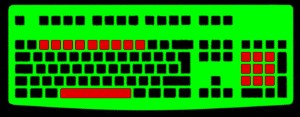
Press the number buttons on your keyboard (0-9) to open the passive windows. These programs show a static or animated window on the center of your screen. You can drag them around with your mouse. Close them pressing the Space key.
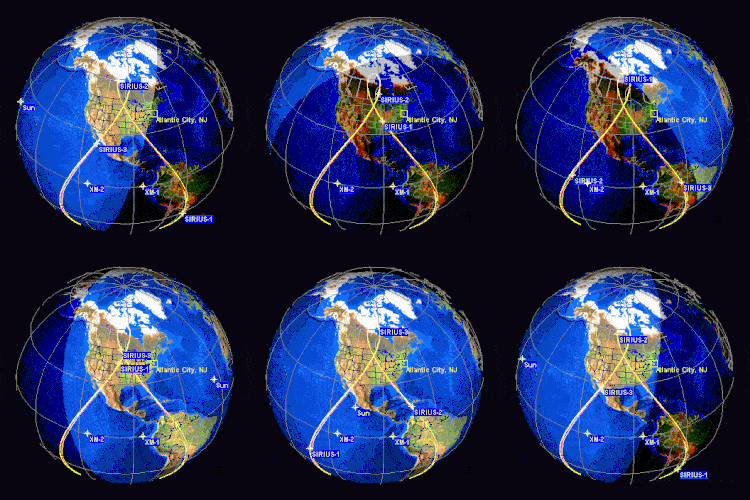
Display "Access Denied" or "Permission Granted" warnings, start a self destruction countdown, play an animated neural network tracing or a Matrix code rain. Install a virus, download confidential data, trace a computer's location with satellites, and more!
Hacker Typer
Minimize or close all windows and start pressing random buttons on your keyboard to simulate that you're writing program. The hacker typer will add more than one character at once to the screen to make your writing look faster.
Open the "Remote Connection" program to simulating that you're hacking a top secret governmet server. This automated hacker typer will trigger server responses and will show various programs and warnings on the screen.
Find more online pranks at GeekPrank!


600
秒

建立
卫星连接



黑客模拟器
在线黑客模拟器
开始在键盘上随机输入文本,以模拟你正在入侵计算机。
点击右侧的图标或按键盘上的数字显示各种窗口,即可发现程序。
通过这款黑客模拟游戏,我们希望提高人们对计算机和互联网的认识;安全。学习;更多关于道德白帽黑客的信息 在这里.
在以下网址查找更多在线恶作剧 GeekPrank
此网站是;使用Cookie收集匿名信息;分析和;量身定制的节目;广告。